Make your set fit
the time you are given.
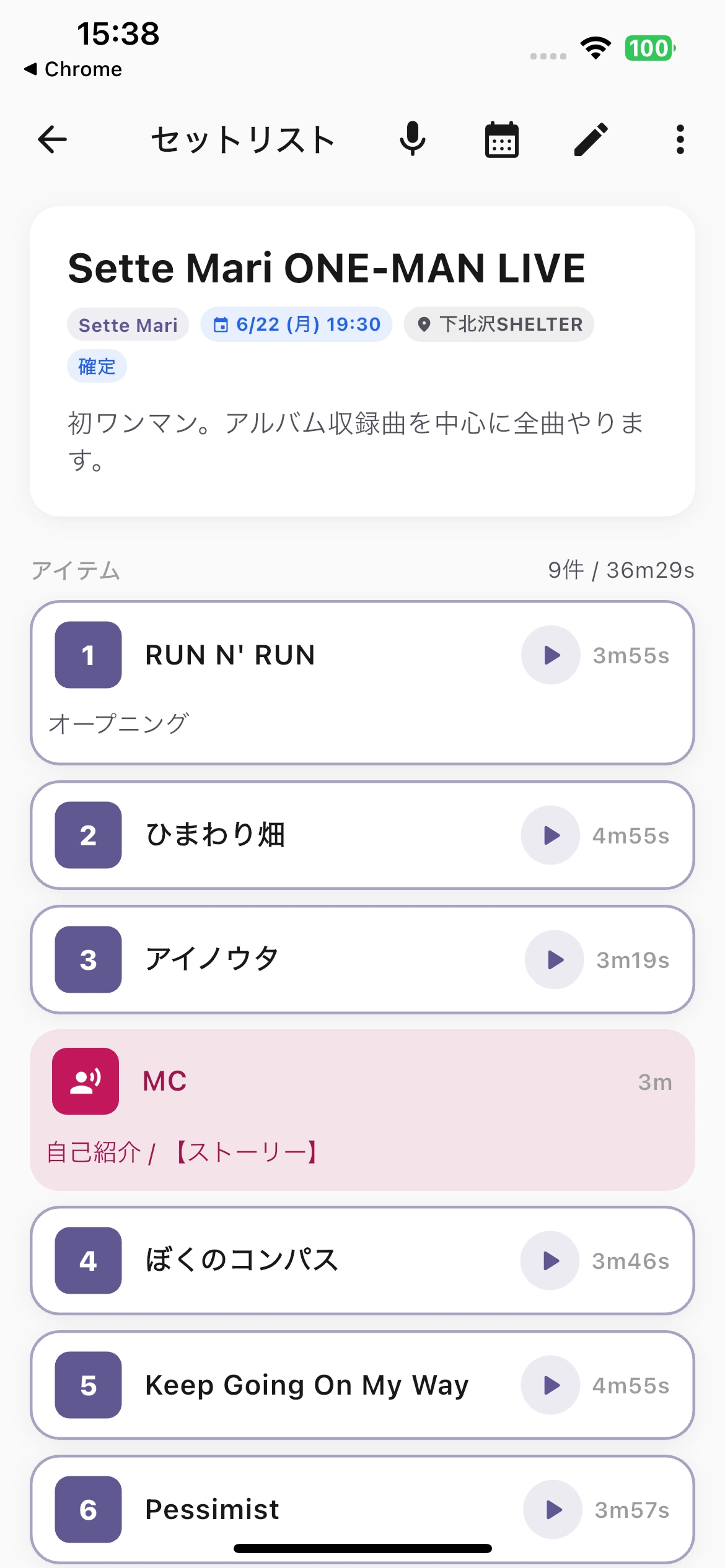
Every support slot, every festival, every school show comes with a number of minutes. Setlii puts your songs, MCs and cues on one timeline and shows the running total as you drag things around.
The slot is 25 minutes. Your material is 47.
Cutting a set down is the part nobody has a tool for. Most people end up doing it in a notes app, on paper, or in their head five minutes before load-in.
You cannot see the total
A list of song titles does not tell you whether you are over. You add the minutes up by hand, then change the order and have to do it again.
The chat scrolls away
You send the running order to the group chat. Two days later it is buried under thirty messages and someone plays the wrong song.
MCs and cues are invisible
Talking between songs takes real minutes. So does a costume change or a video roll. If they are not on the timeline, your set is longer than you think.
Built around the clock, not the song list
Setlii treats a set as a block of time you have to fill exactly — not as a playlist.
Running total, live
Every item carries a duration. Reorder, add, or shorten a song and the total updates as you drag. You know instantly whether you fit.
Songs, MCs and cues together
A three minute MC and a two minute changeover sit on the same timeline as the songs, because they cost the same minutes.
Trim a song without deleting it
Play a short version — first chorus only, no second verse. Change the duration for this show and the original stays untouched for the next one.
Attach the reference track
Put a YouTube link or an audio file on each item and tap to play it. Rehearsing from the setlist means nobody asks which arrangement you meant.
Comments on rehearsal audio
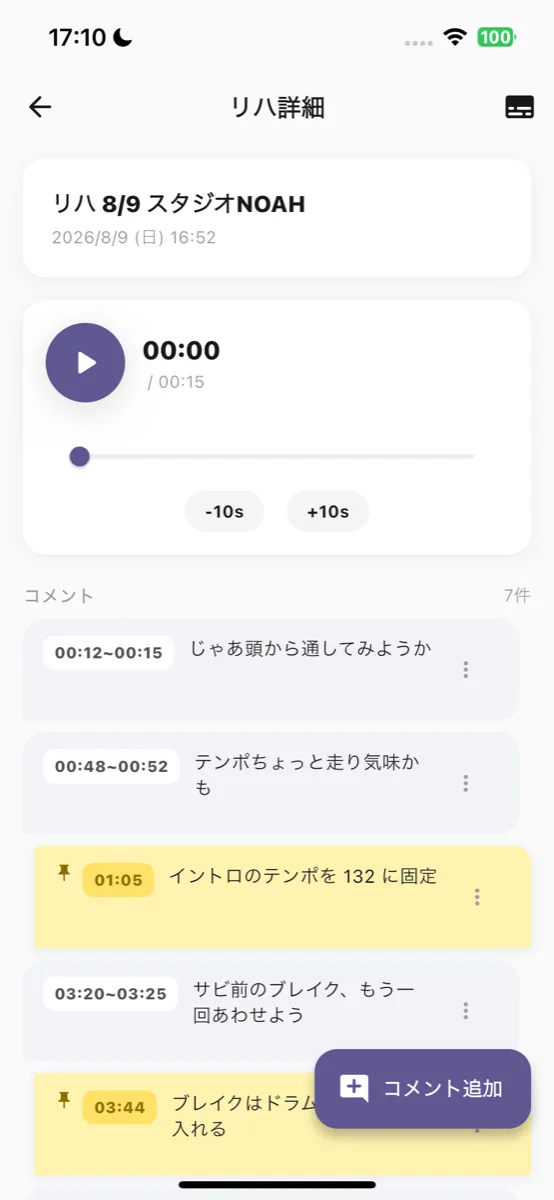
Import the audio you recorded at practice, then leave comments at the exact second something went wrong. The band reviews it before the next practice instead of arguing from memory.
Reusable library
Keep every song you play in one library with key, tempo and default length. Building the next set is picking, not retyping.
Stop trying to remember
what was said last time.
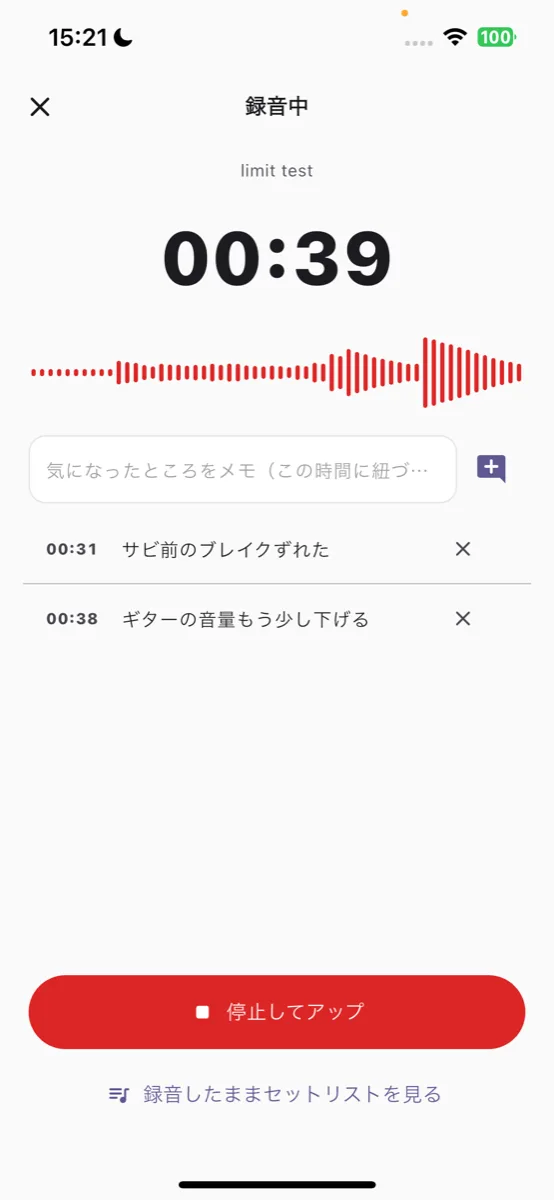
Record the rehearsal in the app and what you said turns into text automatically. "Tempo is rushing", "let's take the break again" — every decision stays with its timestamp, so nobody has to reconstruct it from memory next week.
- 1Record without leaving the appNo more recording elsewhere and sending files. It keeps running while you look at the setlist.
- 2Speech becomes text on its ownStop the recording and transcription runs. Lines are laid out with the time they were said.
- 3Note what you notice, right thenNotes you write while recording stick to that exact moment.
How it works
- 1
Set the time you have
Enter the length of your slot. That number is what everything is measured against.
- 2
Drop in songs, MCs and cues
Pull from your library or add new items. Drag to reorder; the total moves with you.
- 3
Trim until it fits
Shorten an arrangement, cut an MC, or drop an item. You can see the moment you land inside the limit.
- 4
Share one link
Send the finished running order to the band. They open it in a browser — no account, no install.
A link that does not scroll away
Share the running order as a web page. Anyone with the link can open it on any phone without installing the app or making an account — and it is still there next week, unlike a message in a group chat. When you change the set, the link shows the new version.
See a sample setlistPricing
- Unlimited setlists
- Songs, MCs and cues on a timeline
- Share by link
- Reference tracks and YouTube links
- Everything in Free
- No ads for the whole band
- Unlimited members
- Unlimited storage for rehearsal recordings
Your next set has a time limit. Start there.
Free to start, no credit card. Works on iPhone, Android, and any browser.


Setlii is made in Japan by Quinas. The app interface is currently in Japanese; English is on the way. Tell us you want it and you move it up the list.